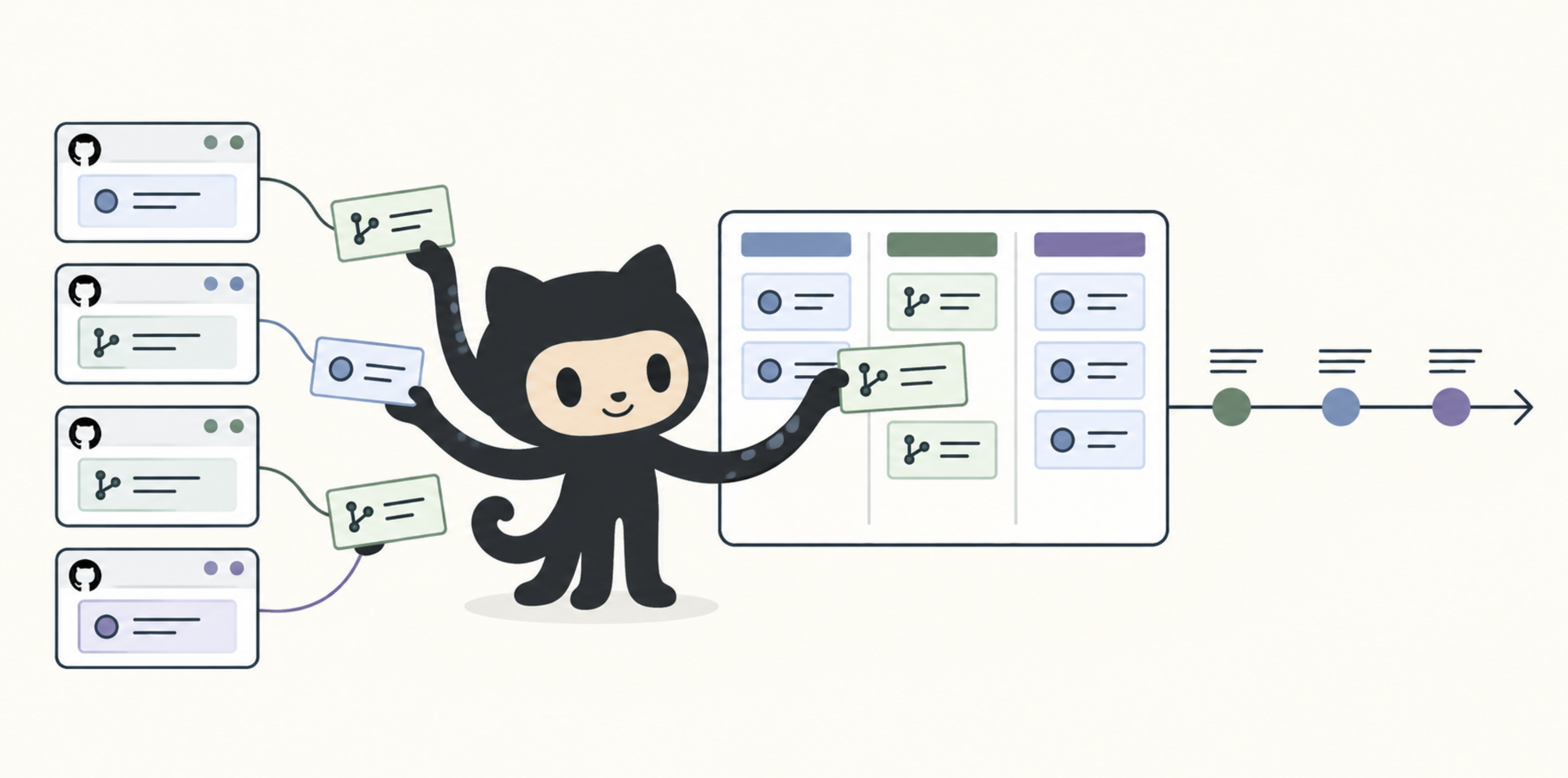
I have a strong inclination towards keeping related work in one place (my project Django Control Room is itself an example of this philosophy). This is why I have spent some considerable amount of time trying to establish a process for issue tracking and project management using Github. Ultimately, I think a project is in a good place when you can have the following:
- A place to plan high level work and collaborate with stakeholders
- A way to quickly see what is being worked on and what needs to be done
- A way to quickly see any issues that may be blocked or require review
Github issues and milestones work reasonably well when a project consists of single repository, but require some further customization when dealing with multiple repositories. The rest of this article describes a process I am using to satisfy these requirements for my own Github organization.
Roadmaps
Github doesn’t normally have the concept of an “Epic” - a higher level, topical ticket meant to pool other issues under. Fortunately Github does give you all of the primitives needed to duplicate the functionality; it lets you create and name your own issue types, and it lets you add parent issues to create hierarchy.
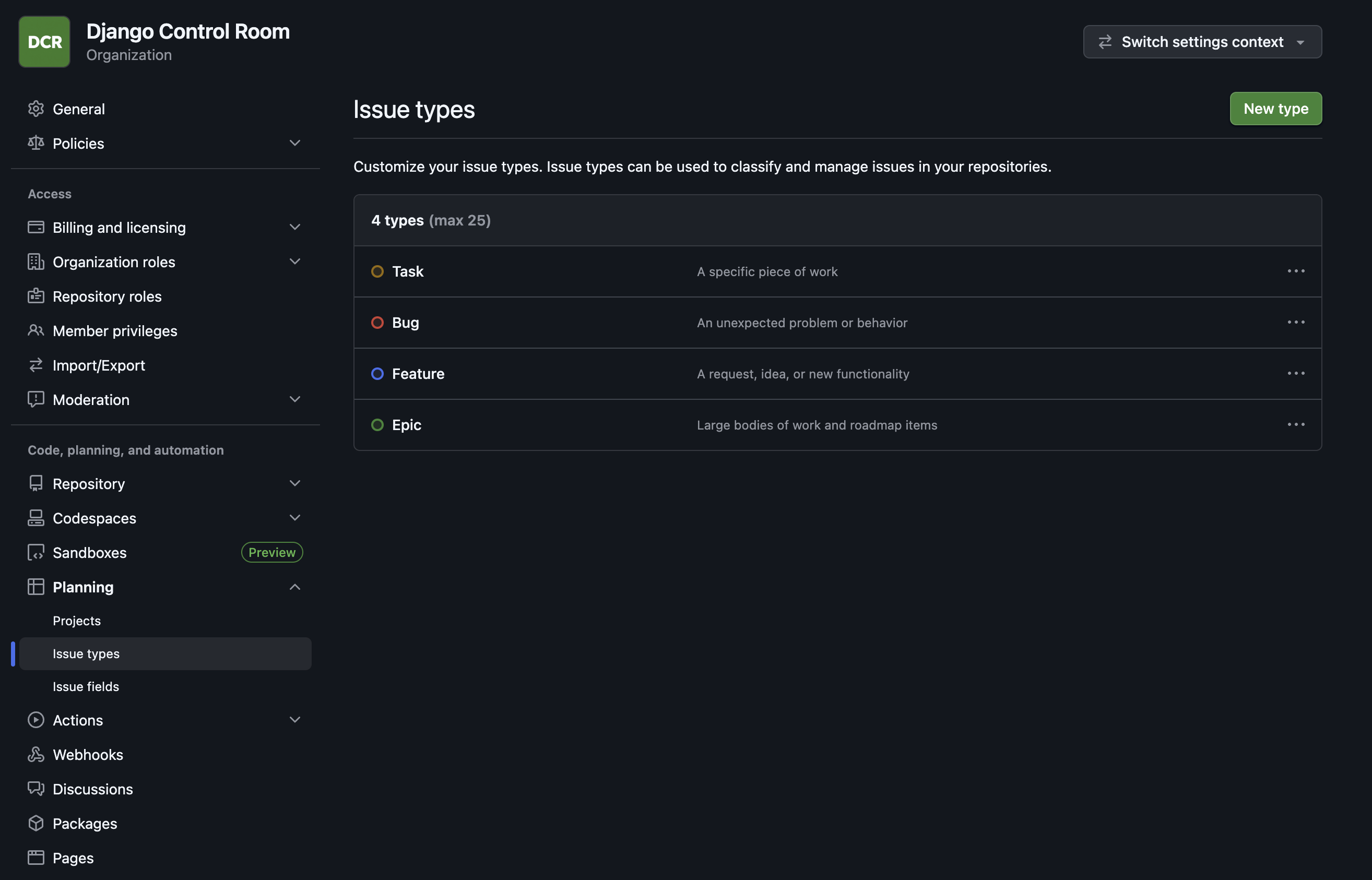
Defining Epic as an organization level issue type makes it available in every repository.
That still leaves the question of where epic issues should live; I recommend creating a dedicated
“planning” repository
to contain high level planning and ticket creation within it. This strongly mirrors what is
often done at tech companies - product management will often write higher level tickets while
engineers will break these down into implementation tickets. Here, repo specific issues can be
used to represent the implementation specific tickets, while the planning repo can act like an
appropriate boundary for non developers to work in. Since Github allows linking tickets across
Org repos, you can add any repo specific implementation tickets under you created Epics in the planning repo.
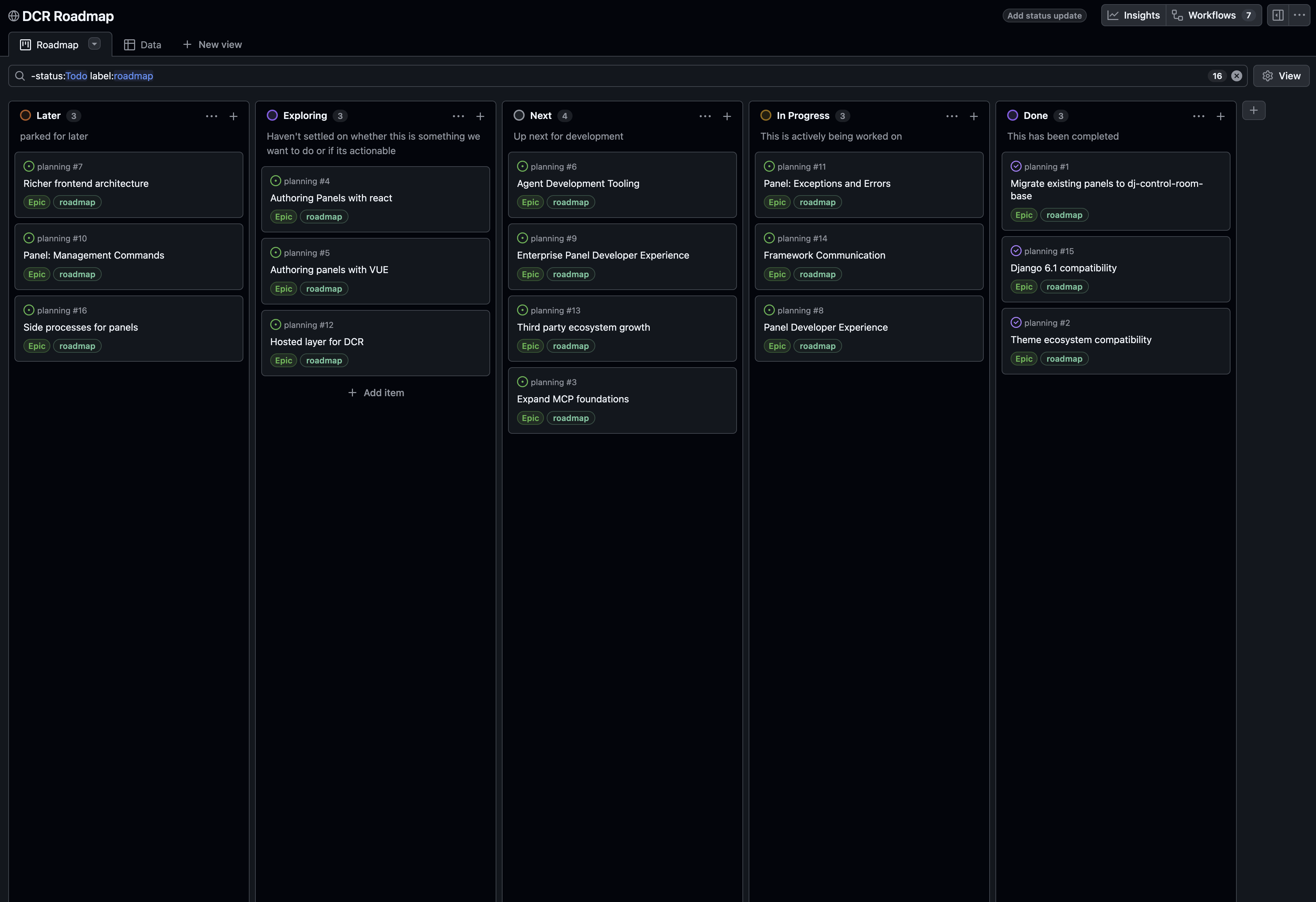
Creating Epic issues (Or any higher level of work type of ticket) allows you to more easily plan at a high level and create roadmaps using the Github’s native project’s feature. Github also has a native “Milestone” feature that looks like it could fit the use case, but milestones are unfortunately constrained to the single repository for which they are defined. They can fulfill useful functions like grouping issues and tracking completion, but they cannot provide an organization wide roadmap.
DCR’s roadmap is pictured below:
Development Views
DCR is a github organization that is composed of several different repositories, each receiving their own pull requests and new issues with different frequencies. Checking each repository for new issues or new pull requests becomes burdensome. It is useful to have a single place to inspect what issues are open or in progress as well as any pull requests that need to be reviewed.
Unfortunately Github projects have limits on setting up auto imports for issues. There is a maximum of 5 auto import rules you can add (and even this requires a pro subscription). The more practical choice is to rely on Github actions to periodically add issues and pull requests to projects.
 1name: Sync organization issues to project
 2
 3on:
 4  workflow_dispatch:
 5  schedule:
 6    - cron: "*/15 * * * *"
 7
 8permissions:
 9  contents: read
10
11concurrency:
12  group: sync-org-issues-to-project
13  cancel-in-progress: false
14
15jobs:
16  sync:
17    runs-on: ubuntu-latest
18
19    env:
20      GH_TOKEN: ${{ secrets.PROJECTS_TOKEN }}
21      ORG: django-control-room
22      PROJECT_NUMBER: "3"
23
24    steps:
25      - name: Add organization issues to project
26        shell: bash
27        run: |
28          gh search issues "no:project" \
29            --owner "$ORG" \
30            --limit 1000 \
31            --json url \
32            --jq '.[].url' |
33          while IFS= read -r issue_url; do
34            echo "Adding issue: $issue_url"
35            gh project item-add "$PROJECT_NUMBER" \
36              --owner "$ORG" \
37              --url "$issue_url" >/dev/null 2>&1 || true
38          done
39
40      - name: Add open pull requests
41        shell: bash
42        run: |
43          gh search prs \
44            --owner "$ORG" \
45            --state open \
46            --limit 1000 \
47            --json url \
48            --jq '.[].url' |
49          while IFS= read -r pull_request_url; do
50            echo "Adding $pull_request_url"
51            gh project item-add "$PROJECT_NUMBER" \
52              --owner "$ORG" \
53              --url "$pull_request_url" \
54            >/dev/null 2>&1 || true
55          done
This Github action exists inside of DCR’s .github repository and requires you to set up a secret PROJECTS_TOKEN in this repo that is
meant to hold an access token. I’ve used a fine grained personal access token for this - one that is restricted
to the Org’s projects, repositories and their respective issues/Pull Requests.
aside: You can read more about fine grained tokens here: https://docs.github.com/en/authentication/keeping-your-account-and-data-secure/managing-your-personal-access-tokens#fine-grained-personal-access-tokens
You can also learn more about the special .github repos here: https://docs.github.com/en/organizations/collaborating-with-groups-in-organizations/customizing-your-organizations-profile
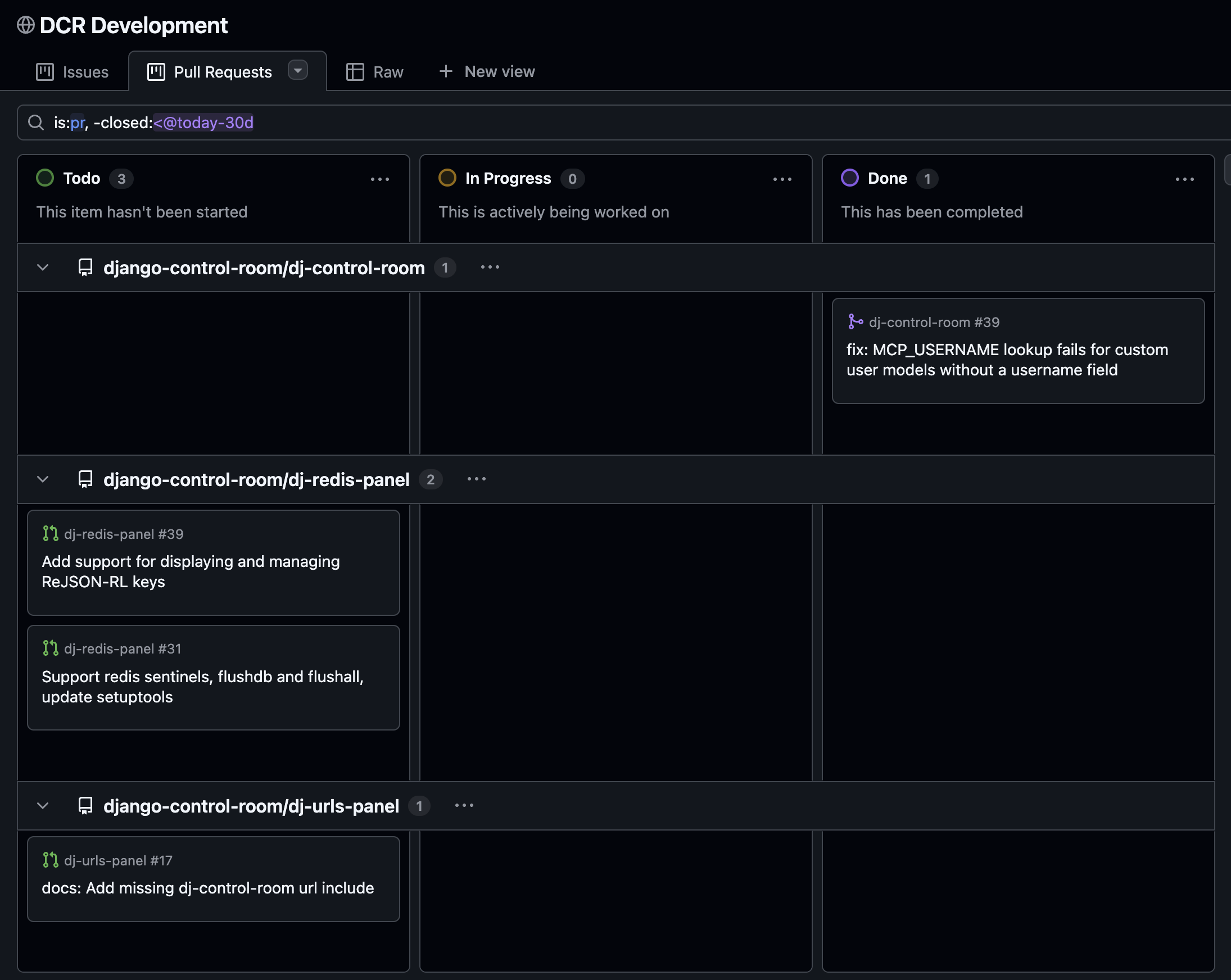
The end result of this is a single project that holds all issues and Pull requests for your organization. While this can seem unwieldy, Github projects give you the option of customizing views that are filtered down sets of data. DCR’s issue board shows only open or in progress tickets segmented per repo as well as any tickets closed within the last 30 days.
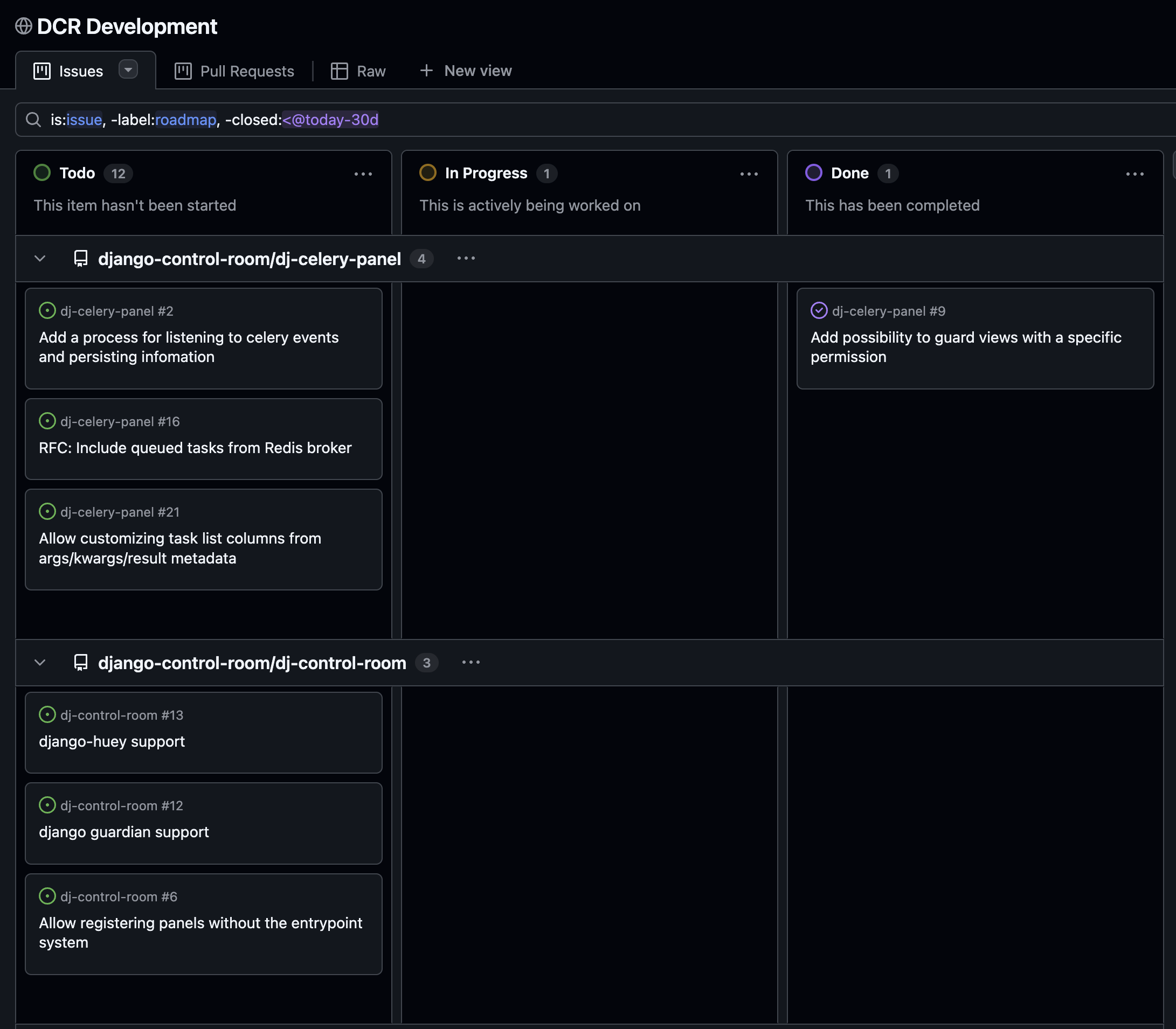
Pull requests can likewise be surfaced as another view of the same project. As a maintainer, these views give you what you need to know what issues or Pull requests are open in your organization in a single screen. It also gives contributors an easy map of what is open and what they could possibly tackle or review.
Conclusion
Github may be primarily for development, but it does contain the primitives needed to build a serviceable replacement for common project management tools like JIRA. As mentioned, this setup described is a deliberately minimal implementation but it does fulfill the basic needs I set out to fulfill. For a company or open source organization who are already on Github, this may be all the project management needed.